
Saved searches: follow the jets of stars torn apart by black holes
Do you repeat the same search every week, then try to recognise the papers you have already seen? Saved searches keeps the query and its filters; its watch looks for new matching papers.
Let’s follow a specific question: how can a star torn apart near a black hole power a jet? We will save a search about tidal disruption events, or TDEs, inspect its matches, then keep a CC BY study with its full text and figures. The previews shown here were checked on 29 October 2026; their results will change.
1. Build a query you can explain
Open the paper search. Enter jet* "tidal disruption", keep All fields and choose arXiv under Refine results. The active filter chip confirms the source.
The quotes require the expression “tidal disruption”; jet* accepts words starting with jet, including jets. The watch requires these matches in the title or abstract. The general search ranks by relevance and may also suggest neighbouring references. The watch’s preview shows what it would actually keep.
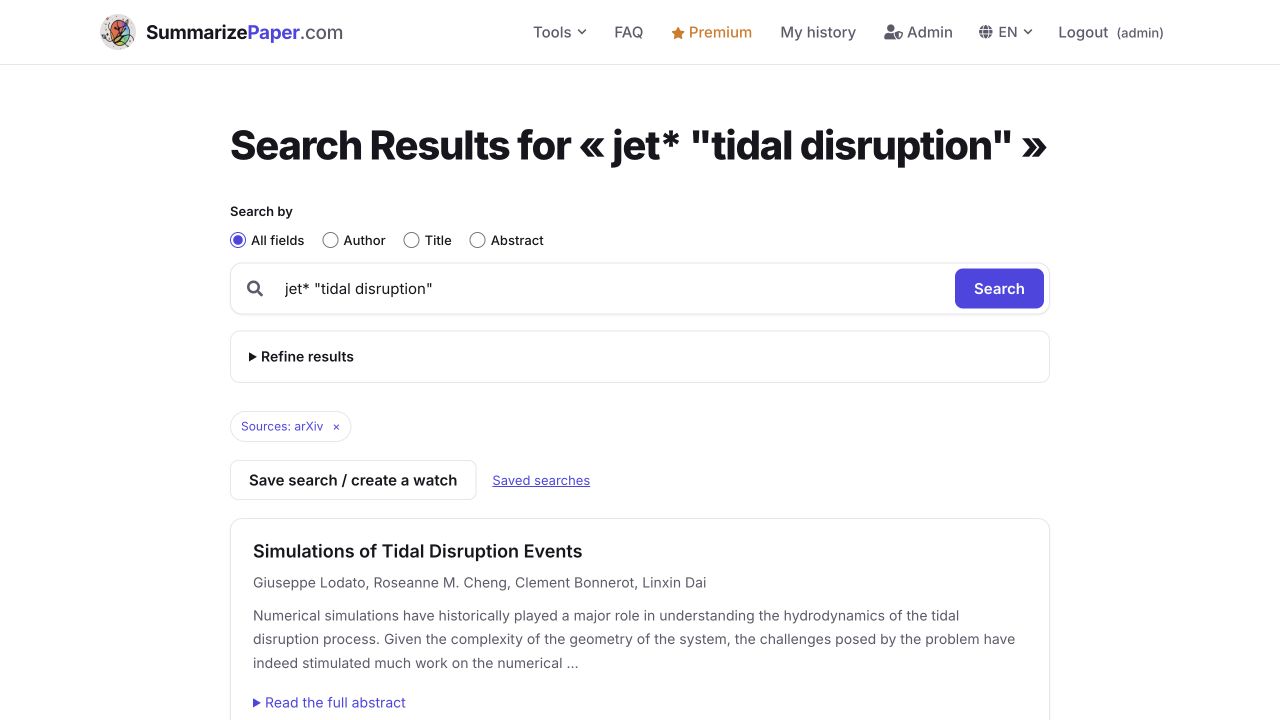
Click Save search / create a watch. Saving a query and enabling its watch are separate steps. An account can keep up to 50 saved searches, with one active watch on the free plan and five with Premium.
2. Give the search a useful name
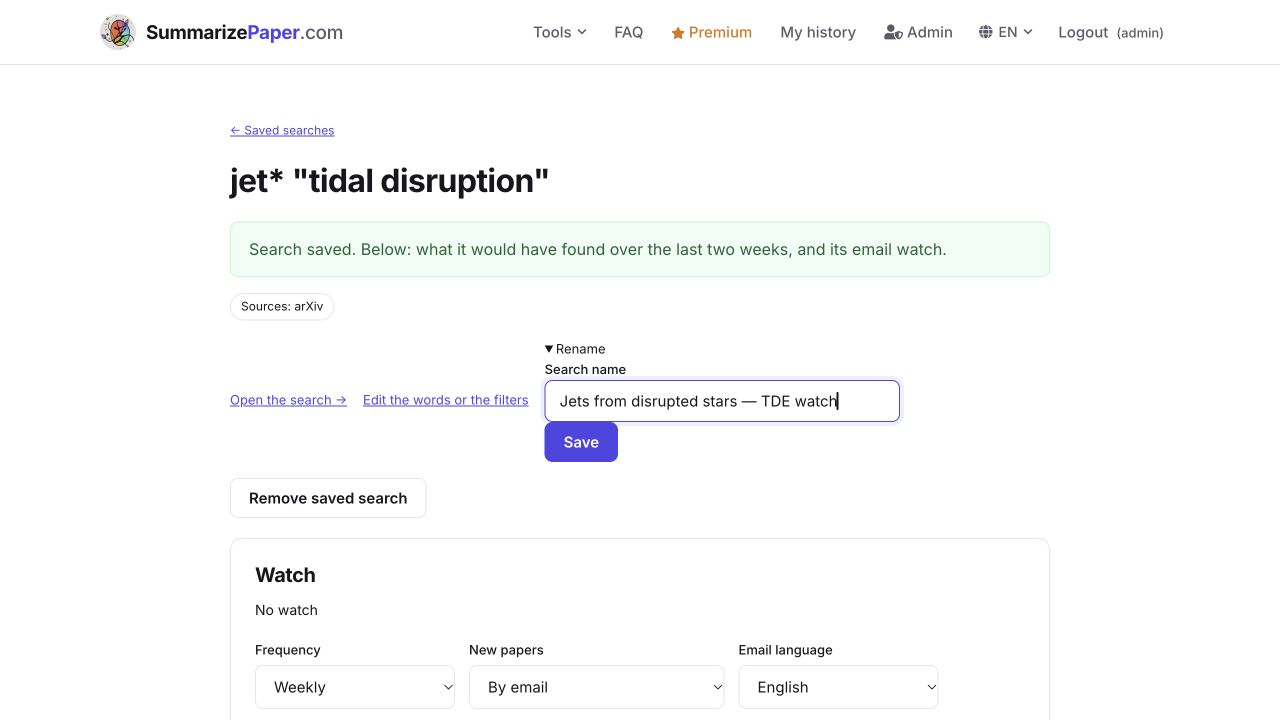
Open Rename, enter Jets from disrupted stars — TDE watch, then click Save. The name helps you recognise the search; it does not replace the query words. Open the search restores the saved words and filters.
3. Inspect the preview before enabling
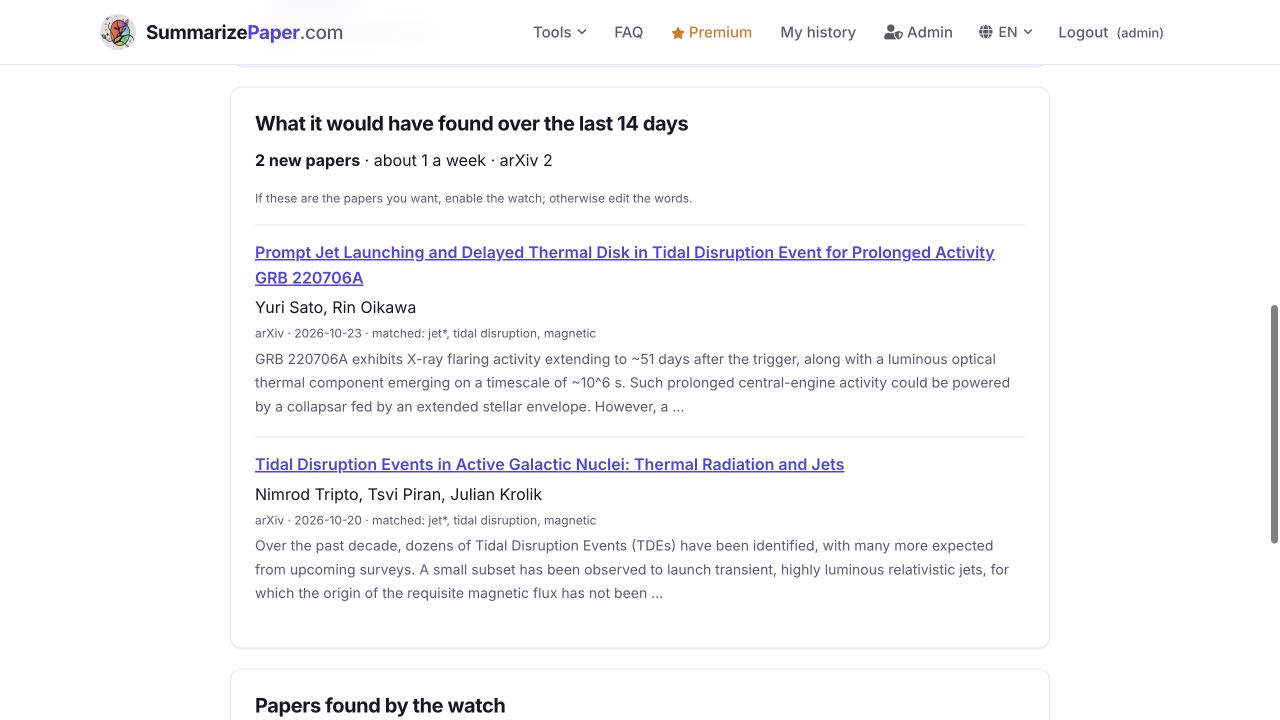
What it would have found over the last 14 days lists three arXiv papers here, with their matched terms. They include a transient whose nature is debated, an interpretation of GRB 220706A, and a simulation of a TDE in an active galactic nucleus. These are three reading leads, rather than three confirmations of the same scenario.
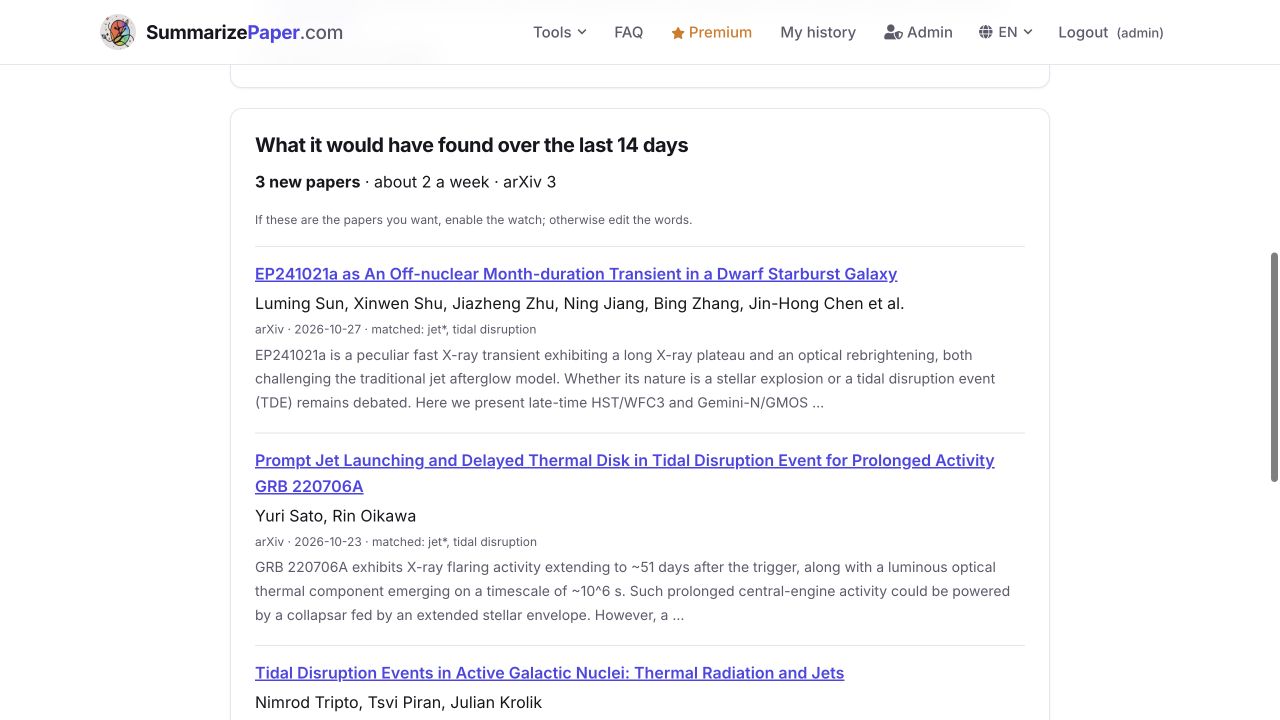
Use the preview to tune the query. It is not a history of alerts you have already received. If it is empty, try fewer words or alternatives with OR; an empty preview does not establish that no relevant literature exists. If a source is unavailable, heed the incomplete-coverage notice.
4. Refine the existing search
To focus on the magnetic origin of jets, click Edit the words or the filters, add magnetic, search again and choose Update “Jets from disrupted stars — TDE watch”. This changes the existing search.
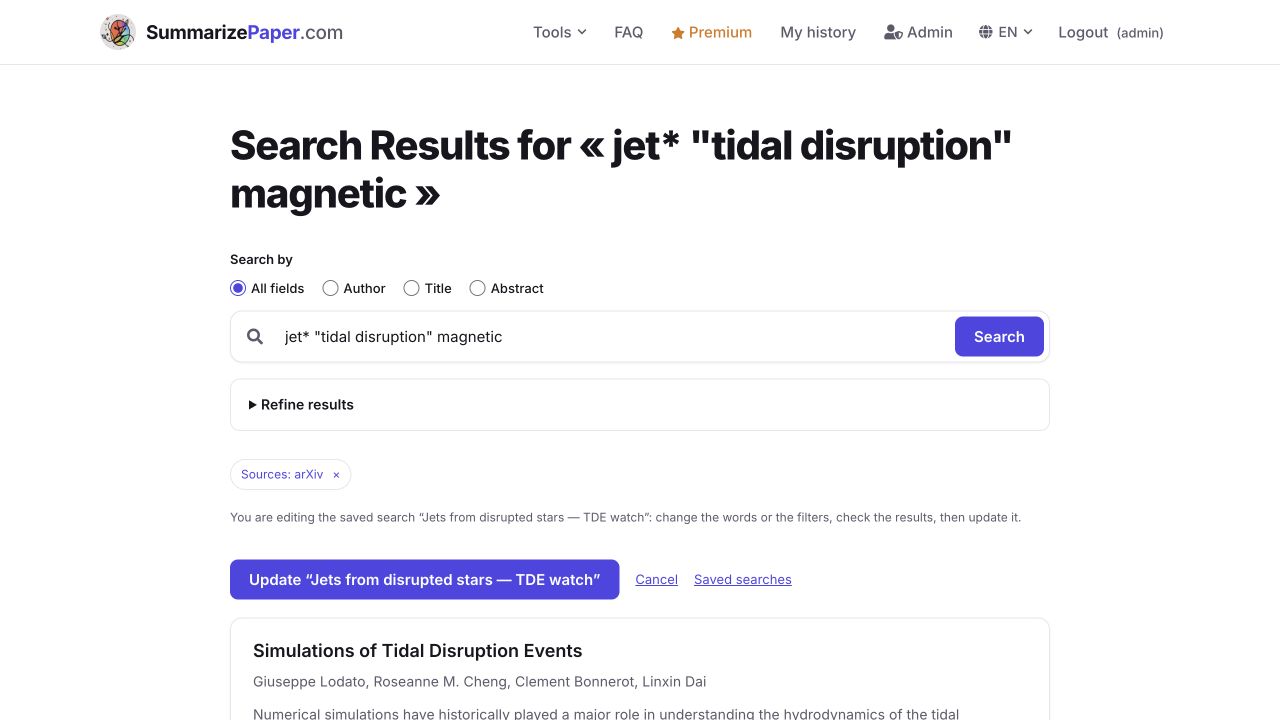
In our example, jet* "tidal disruption" magnetic reduces the preview to two papers, including the study we will read. Check the titles as well as the number: a narrower query can miss useful work that uses different words.
| Adjustment | Example syntax |
|---|---|
| Keep an expression together | "tidal disruption" |
| Accept different word endings | jet* |
| Require another word | jet* "tidal disruption" magnetic |
| Allow an alternative | "tidal disruption" OR TDE |
| Leave out a word | "tidal disruption" -review |
Year filters shape the search page, rather than limiting the watch’s new papers to past years. Categories narrow the announcements but exclude journal searches. Changing words or categories resets the baseline; existing matches are not sent as new discoveries.
5. Choose a schedule and a channel
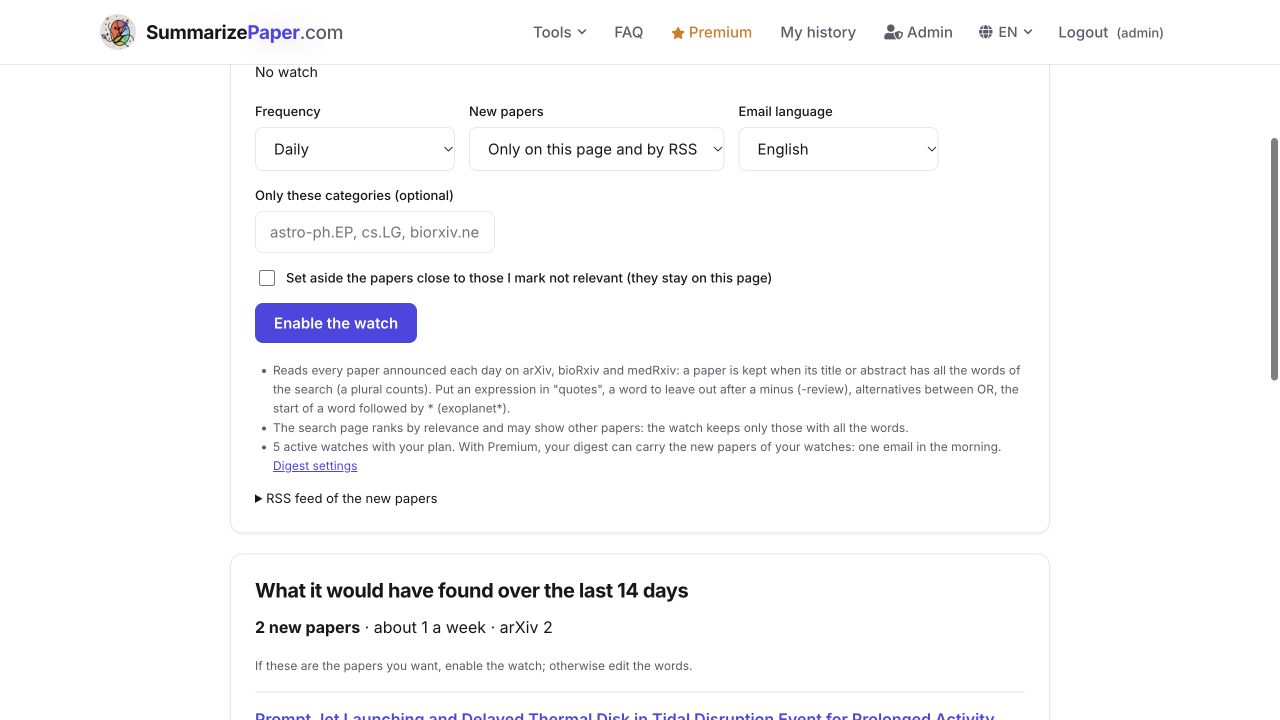
Under Watch, choose Daily or Weekly, then a channel under New papers. Our example uses Only on this page and by RSS. Choose By email for delivery to your inbox; if alerts are bundled, the interface may offer In my digest instead. The language has its own setting.
Only these categories is optional: astro-ph.HE, for example, restricts announcements to high-energy astrophysics. We leave it empty to retain neighbouring categories. The option to set aside papers close to those marked not relevant is also optional; the papers remain accessible on the page.
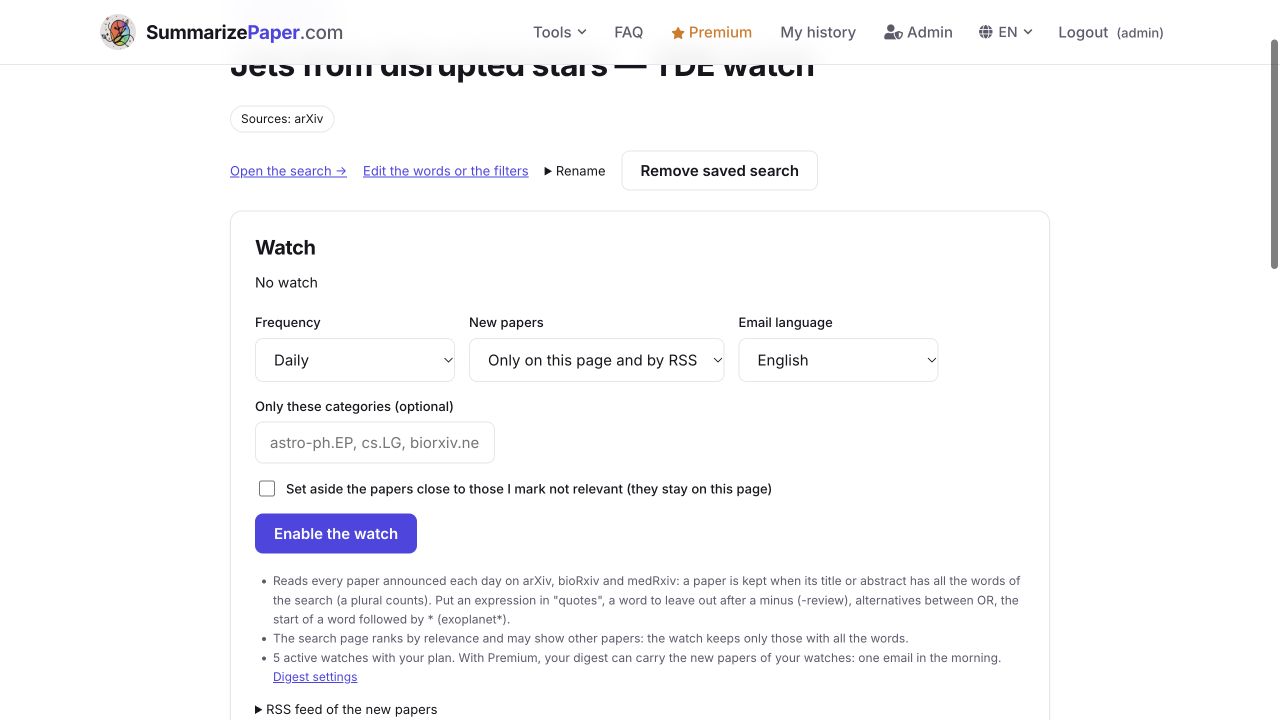
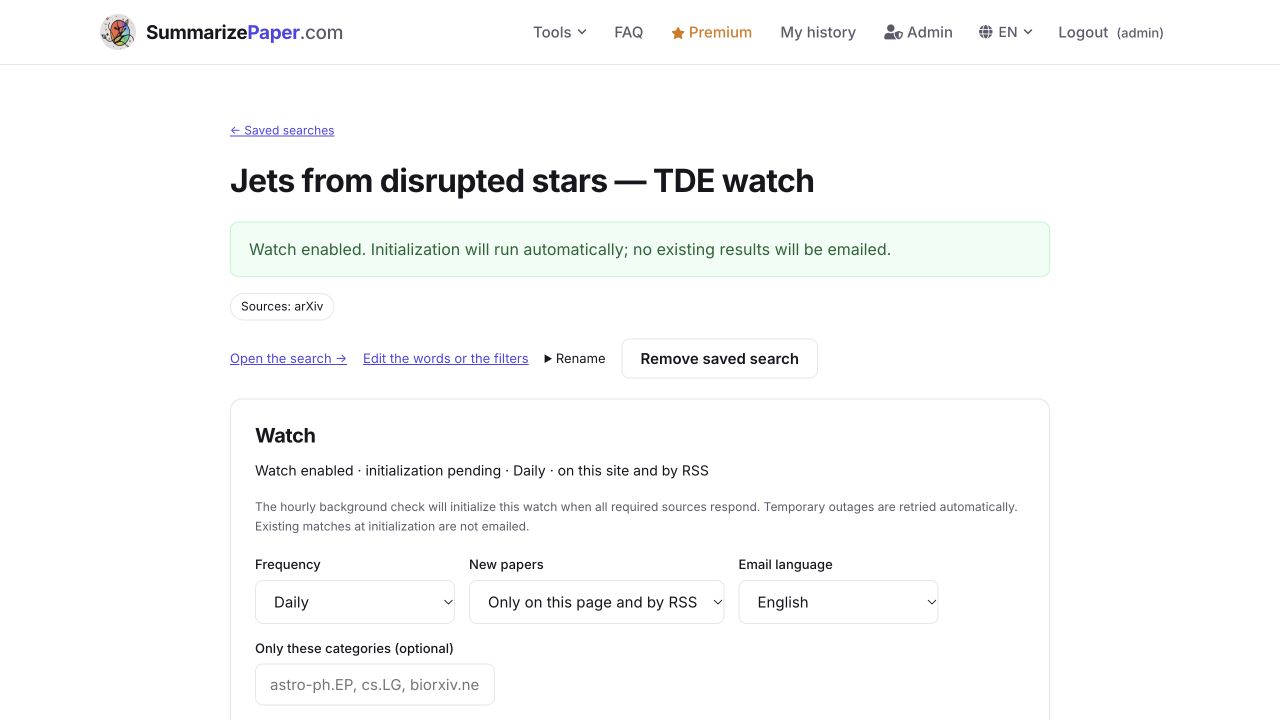
Click Enable the watch and check its status. Initialization pending means the first baseline still needs to be established by the background check; unavailable sources are retried. Existing matches at initialization are not delivered as new discoveries. This explains why the preview can hold two papers while Papers found by the watch is still empty.
RSS feed of the new papers provides a private address for your RSS reader. Anyone with that address can read the watch’s found papers, so keep it private. You can generate a replacement address on the page if needed.
6. Turn a match into a full-text reading
Open Tidal Disruption Events in Active Galactic Nuclei: Thermal Radiation and Jets, by Tripto, Piran and Krolik, from the preview. The page shows CC BY 4.0 and This synthesis is based on the paper’s full text. Check that source banner for each paper: matching words do not guarantee full-text availability.
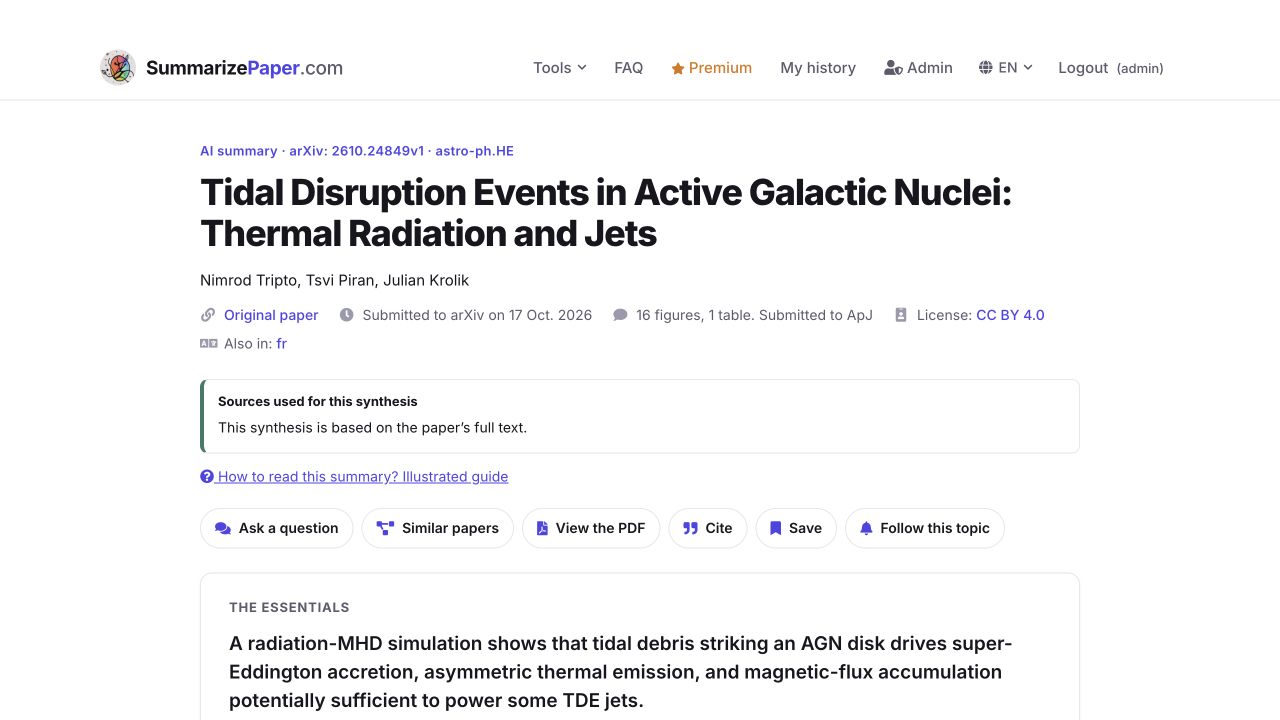
The study simulates stellar debris striking a magnetised accretion disk. It examines radiation and magnetic-flux transport that could power a jet. The jet itself is not directly simulated: its power is extrapolated. That distinction is a reason to read the limitations as well as the headline. The source is available on arXiv.
7. Explore the figures
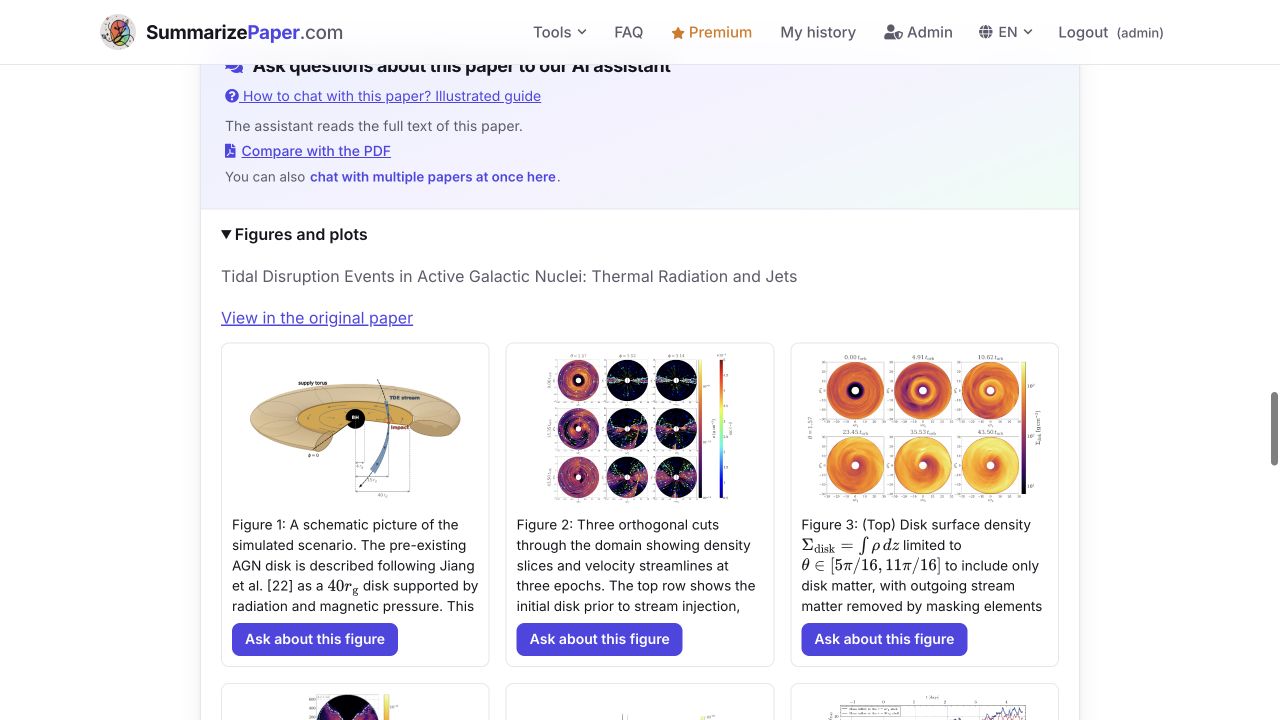
Expand Figures and plots. This version’s gallery contains 16 figures. Scroll within the grid to reach later figures; scientific captions retain their original English. Use the original-paper link to recover their context.
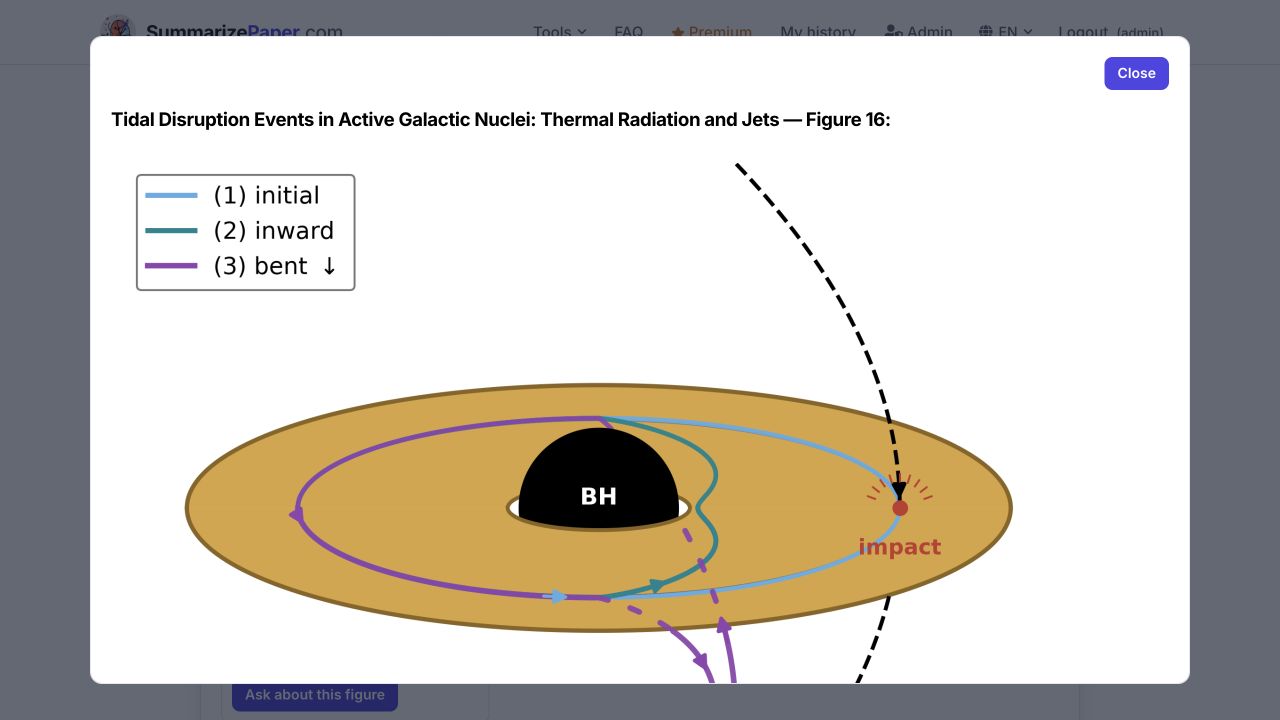
Enlarge Figure 16. Its three colours show an initial field loop, inward displacement and bending out of the disk plane. This is a proposed mechanism, rather than a photograph of a jet. A useful reading question is: “Which plots measure field amplification, and what assumptions connect that field to jet power?”
8. Keep your reason for reading
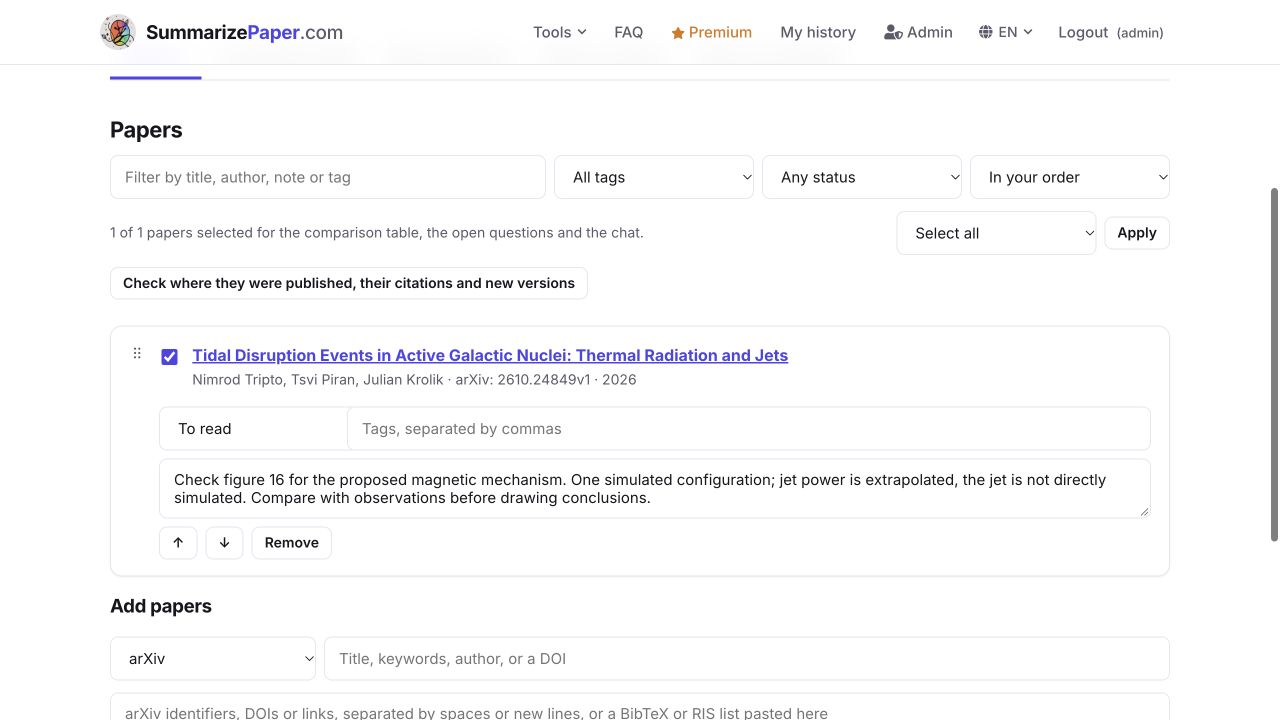
In the paper’s tools, choose New collection…, enter a name and click Add. We created To read — TDE jets and magnetic fields, selected To read and saved a note: check Figure 16, distinguish extrapolated jet power from direct jet simulation, and compare with observations. The note and status remain after reloading.
When the watch finds new papers, its dedicated section lets you select them for a collection, the chat or a BibTeX, RIS or Markdown export. Relevant? Yes / No helps rank future matches. It does not replace the query words and filters.
9. Pause a watch without losing the search
Choose Pause this watch when the topic becomes less urgent. The search stays saved and can still be reopened or edited. Remove saved search removes it from the list and stops its watch. Check the status to distinguish a saved query from an active watch.
For selection guided by your profile, try the daily digest. For papers close in meaning to a project despite different wording, use Scoop watch. Organise your retained readings in collections.
Build a watch whose matches you understand
Create my saved search