
Notion: a page per paper, and a database of your collection
You plan your research in Notion and want your papers there: one page per paper you read, and a table of a reading list with its status, tags and notes. SummarizePaper exports a paper as Markdown, which Notion imports as a page, and a collection as a spreadsheet (CSV), which Notion imports as a database. It is free, and nothing is written into your workspace: you import the files yourself.
The examples come from the collection Gas in debris discs used in our other guides: three papers on the gas of debris discs, each with a note, tags and a reading status.
1. A paper as a Notion page
On the summary page of a paper, open Tools for this paper, then Export → Notion (Markdown).

The file is the paper's title as a heading, its reference, then its key points and its summary:
# Observing planetary gaps in the gas of debris disks

**Authors:** C. Bergez-Casalou, Q. Kral
**Published in:** Astronomy & Astrophysics
**DOI:** [10.1051/0004-6361/202452097](https://doi.org/10.1051/0004-6361/202452097)
**arXiv:** [2411.14241](https://arxiv.org/abs/2411.14241)
**Date:** 2024-11-21
**Summary page:** https://www.summarizepaper.com/en/paper/2411.14241v1/

## Key points

- Recent ALMA observations have found significant amounts of CO gas in debris disks previously thought to be gas-free
- …

## Summary
…
In Notion, open Settings in the sidebar, then Import → Text & Markdown, and choose the file: it becomes a page with its headings, bold labels, links and lists. The summary ends with where it comes from (written by an AI model, from which version of the paper and when). Formulas are written in LaTeX between dollars: Notion may show them as text.
2. A collection as a Notion database
In a collection, click Spreadsheet or Notion (CSV). Set the reading status, tags and notes of the papers in the collection first: they are columns of the spreadsheet.
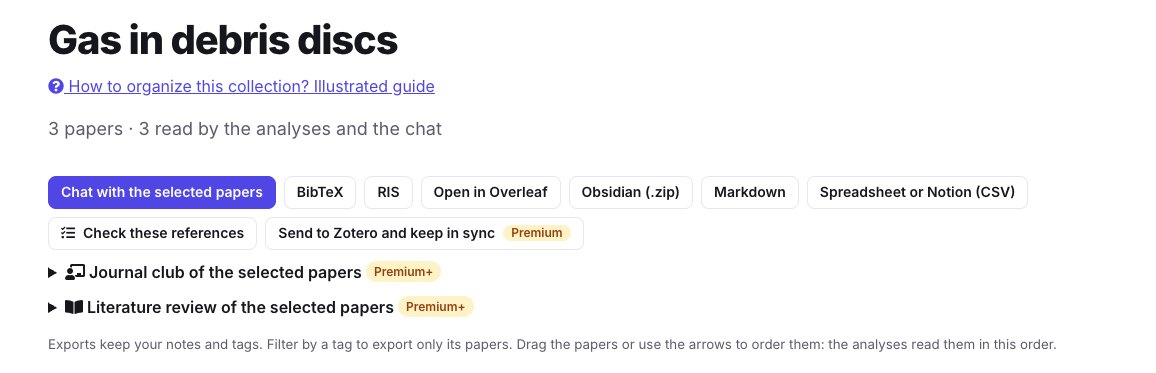
The file has one row per paper, with these columns: Identifier, Title, Authors, Year, Venue, Editorial status, Notices, Citations, Newer version, Reading status, Tags, Note, Selected, Link. For our collection:
| Title | Year | Venue | Editorial status | Reading status | Tags |
|---|---|---|---|---|---|
| Thermochemical constraints on a primordial-origin of gas-rich debris disks | 2026 | Submission or review declared on arXiv by the authors | Key paper | origin, thermochemistry | |
| Observing planetary gaps in the gas of debris disks | 2024 | Astronomy & Astrophysics | Publication found | To read | planets, ALMA |
| Predictions for the secondary CO, C and O gas content of debris discs… | 2017 | Monthly Notices of the Royal Astronomical Society | Publication found | Read | origin, models |
Editorial status, Notices and Newer version come from the check of where the papers were published, their retraction or correction notices and their new versions: run Check where they were published, their citations and new versions in the collection before exporting to fill them.
In Notion, open Settings, then Import → CSV, and choose the file: it becomes a database with one row per paper. Then adjust the database to your use: change Reading status to a Select property to group the papers by status in a board, Tags to a Multi-select, Link to a URL. Notion uses the first column as the name of each row; the second, Title, is the paper's title.
To add the papers you put in the collection later, export it again and choose Merge with CSV in the menu of the database: Notion adds rows, it does not update those already there.
Other files for Notion
- Markdown of a whole collection: one file with all its papers, to import as one page.
- A literature review exports as Markdown, its synthesis with its numbered references (literature review guide).
- The conference companion exports your program and your notes as Markdown (conference guide).
- For Obsidian, with properties and links between notes, see the Obsidian guide.