
Check the bibliography of an Overleaf project, and keep it up to date
You are about to submit, and your paper was written on Overleaf. Its .bib grew over two years: some preprints have since been published, one cited paper may have been retracted, and a few entries were copied with the wrong year, or twice under two keys. The bibliography check reads your whole Overleaf project and tells you which references to fix, and what each citation is used for.
This guide follows a short demonstration project: a main.tex on gas in debris discs and its references.bib, into which we placed, on purpose, a wrong year, a duplicate, a preprint published since, a citation the cited paper contradicts, a key missing from the .bib and a paper retracted in 2022. Every screenshot shows the real check of that project, run on 9 November 2026.
1. Download your project from Overleaf
In Overleaf, open the menu and download the project's source as a .zip. Nothing needs to be cleaned up: the check reads only the .tex, .bib and .bbl files it contains, finds the main file (the one with \begin{document}) and follows its \input and \include.
2. Run the check
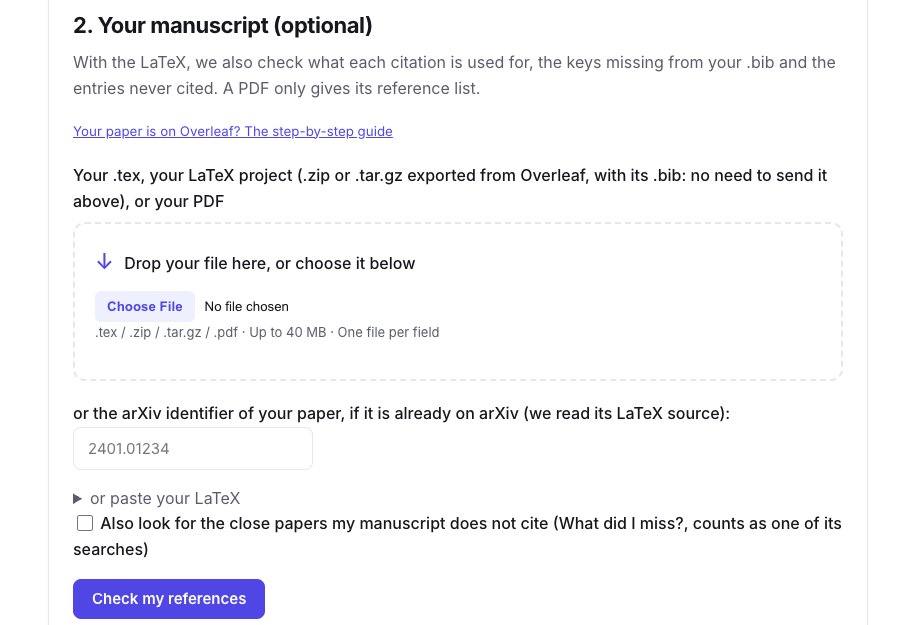
Open the bibliography check (Premium) and drop the .zip under Your manuscript: no need to send the .bib separately. You can also give a single .tex with its .bib, the arXiv identifier of a paper already posted, or a PDF (then only its printed reference list is read).
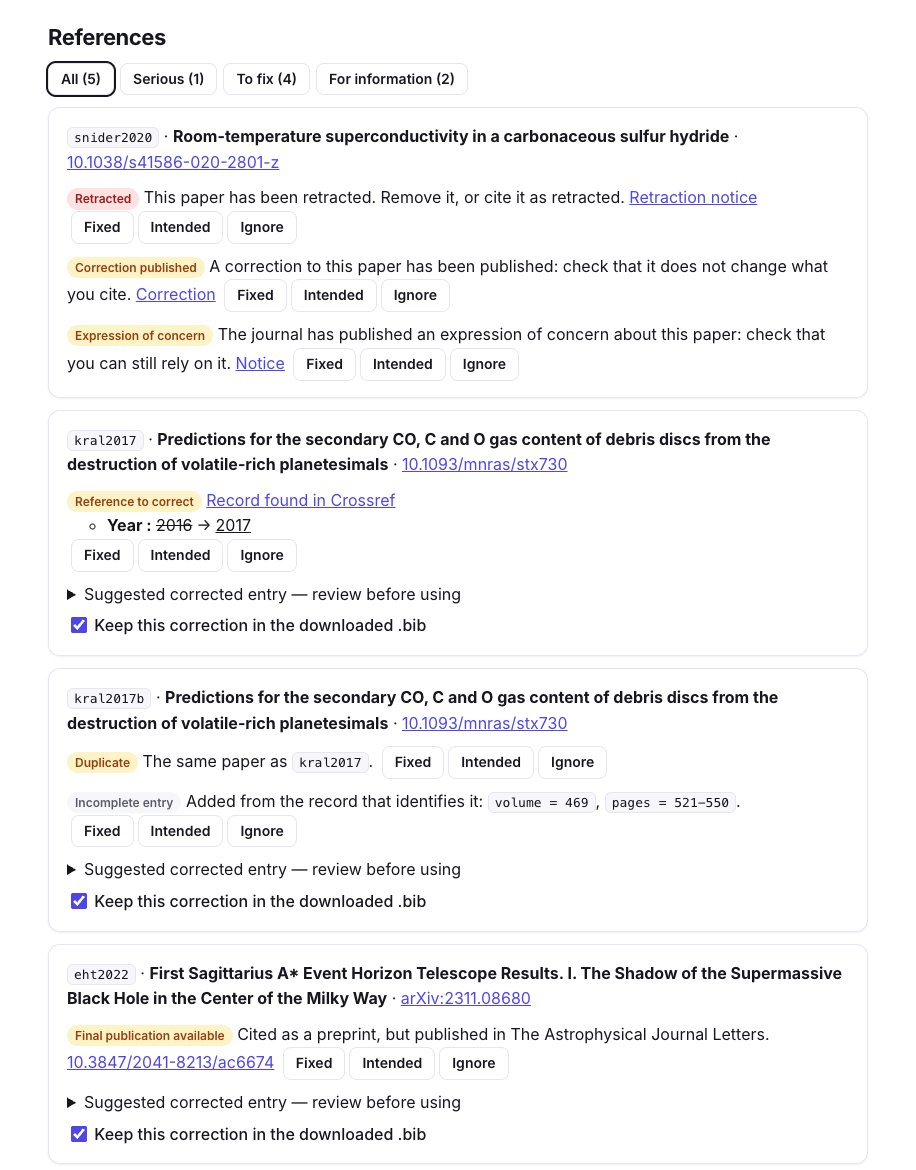
Each entry is identified with Crossref, NASA ADS, OpenAlex, arXiv and Semantic Scholar. In our project, the report found every problem we had placed:
- the retracted paper (Snider et al. 2020), with its retraction notice, a correction and an expression of concern, from Retraction Watch and Crossref;
- the wrong year of Kral et al. (2016 instead of 2017), checked against the Crossref record;
- the duplicate: the same paper under the keys
kral2017andkral2017b; - the preprint published since: the arXiv entry of the Event Horizon Telescope paper, with its journal version in The Astrophysical Journal Letters;
- and incomplete entries completed from their record (volume, pages, DOI).
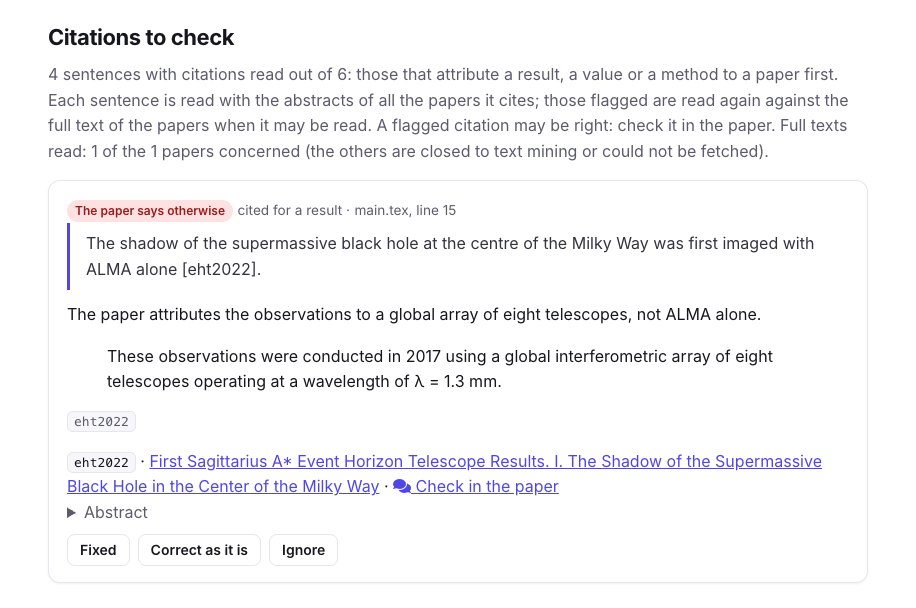
With the LaTeX, the check also lists the keys your text cites but your .bib lacks: here smith2021, which would print as [?]. And an AI reads each sentence with citations next to the papers it cites. Our sentence claimed that the shadow of Sagittarius A* was first imaged "with ALMA alone": the report quotes the passage of the paper that says otherwise. A flagged citation is something to check, not a proof of error.
3. Bring the corrected .bib back into Overleaf
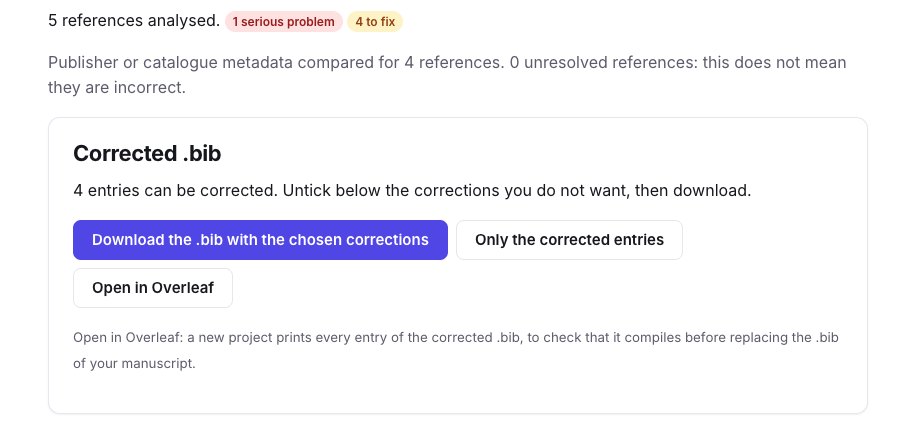
Under Corrected .bib, untick the corrections you do not want, then:
- Download the
.biband upload it in place of the old one in your Overleaf project; or - Open in Overleaf: a new project prints every entry of the corrected
.bib, so you see that it compiles and how each reference reads before you replace the file of your manuscript.
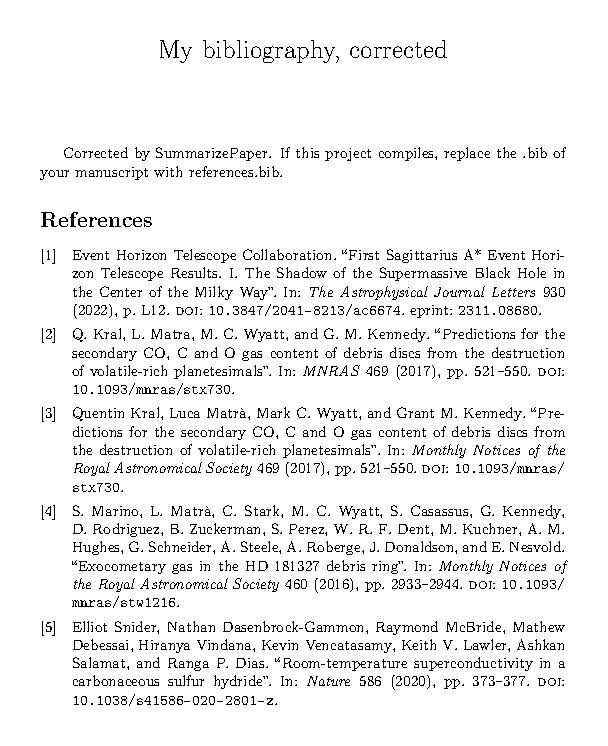
The project that "Open in Overleaf" creates prints the entries with biblatex, which keeps titles as they are written (CO, HD 181327, Sagittarius A*). Here it is compiled: the year of Kral et al. is now 2017, and the Event Horizon Telescope paper has its journal and DOI. The duplicate is still there, because both keys are cited in the text: remove one entry and change its \cite.
Mark each problem as fixed or intended, and check again after correcting: what was solved is shown apart. With Premium, the references can be watched until publication: you get an email if a cited preprint is published or a cited paper retracted in the meantime.
4. Keep a .bib in sync with a collection
While you write, you add papers to a collection on SummarizePaper. Its Settings tab gives an address for its .bib. In your Overleaf project, choose From External URL in the file upload menu, paste the address and name the file, for example collection.bib. After adding papers to the collection, click Refresh on that file in Overleaf, and cite them with \bibliography{collection} (or \addbibresource{collection.bib} with biblatex).
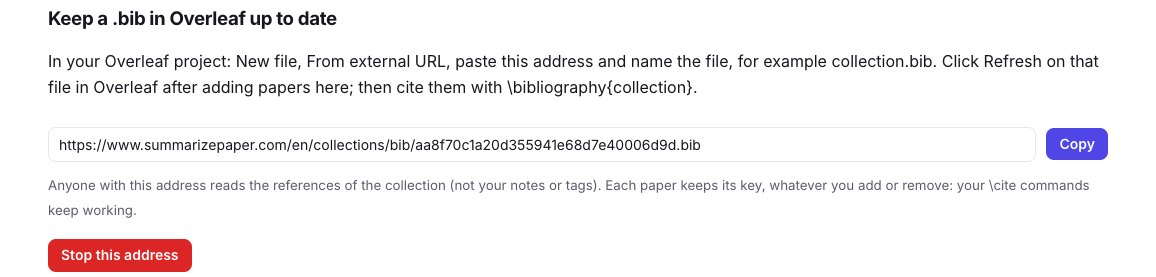
Each paper keeps the key it was first given, whatever you add, remove or correct afterwards, so your \cite commands keep working; the .bib you download from the collection uses the same keys. The address shows only the references, not your notes or tags, and you can stop it at any time; the page says when Overleaf last read it. Overleaf's own Zotero and Mendeley sync needs a paid Overleaf plan; this link does not.
5. Your journal club slides in Beamer
The journal club (Premium+) writes slides from a paper, each point with its passage. Besides PowerPoint, your edited slides open in Overleaf as a LaTeX Beamer project, or download as a .zip.
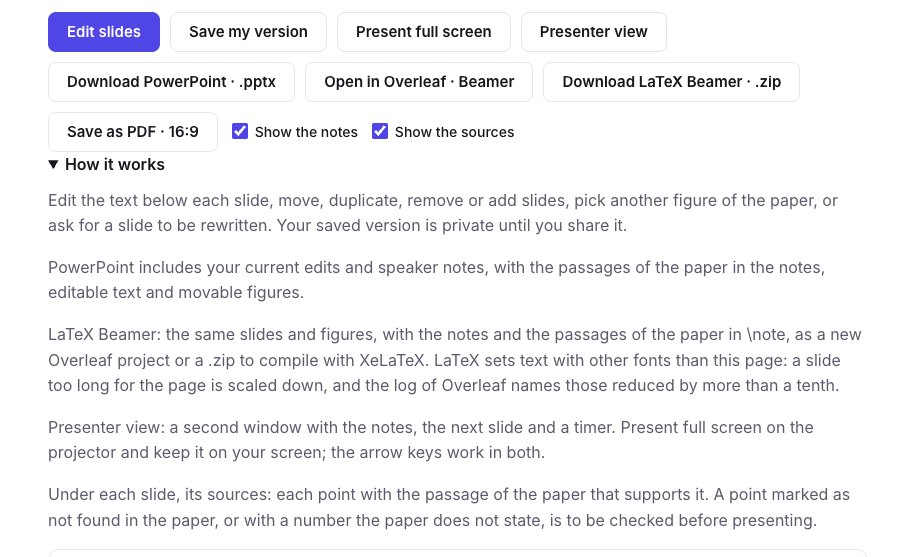
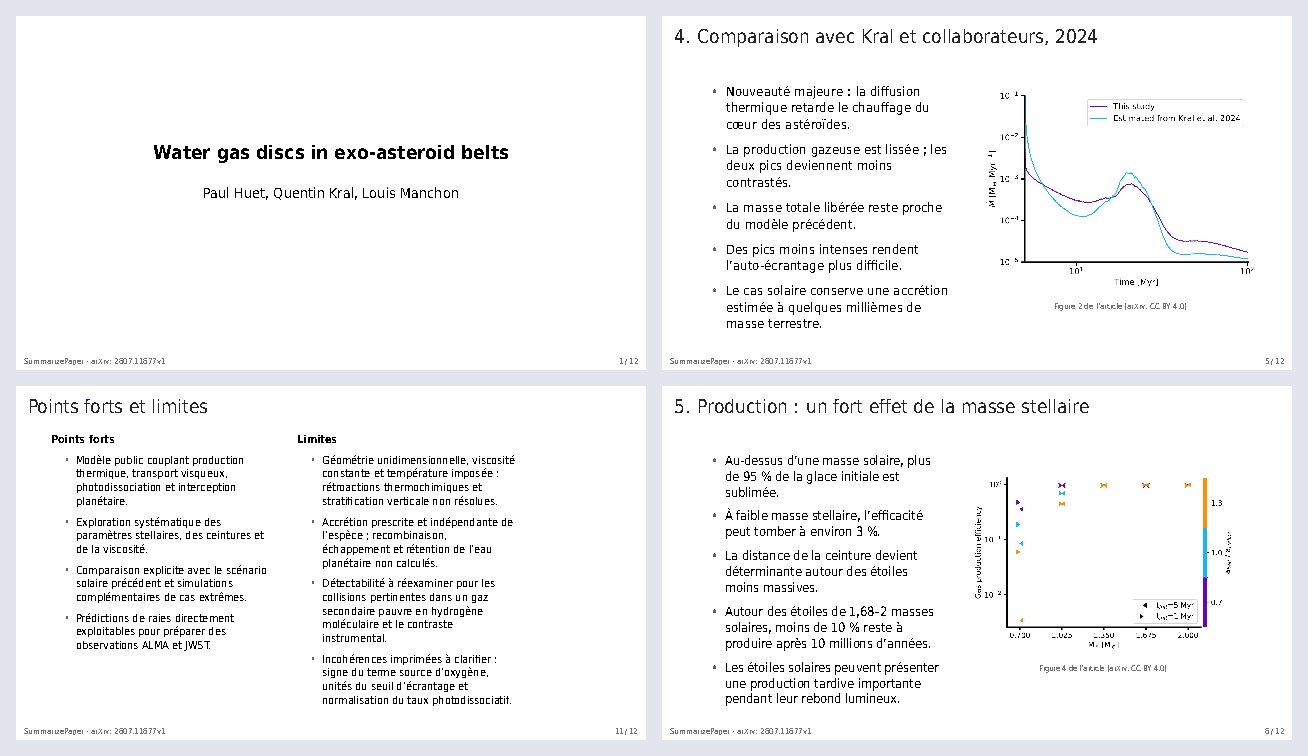
The project holds the figures of the paper when its license allows it, and your speaker notes with the passages of the paper in \note. It compiles with XeLaTeX, which Overleaf selects for you, in 13 languages. LaTeX sets text with other fonts than the page: a slide that is too long is scaled down to fit, and Overleaf's log names those reduced by more than a tenth, so you know which to shorten.
6. Other things that open in Overleaf
- Literature review (Premium+): the synthesis with its
\citecommands and its.bib, as a new project ready to compile. - What did I miss? (Premium): the close papers your draft does not cite, as a project that prints them, to copy the entries you want.
- A collection: its references as a new project, from its export buttons.
Overleaf lets another site create a project, never write into an existing one: each of these buttons opens a new project in your Overleaf account, after you sign in to Overleaf.